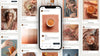
How to Turn Your Logo Into a Full Brand Kit
A full brand kit helps you stay consistent across every platform — social media, website, packaging, email, ads, and print materials. But many small business owners think creating a brand kit requires a professional designer or expensive agency.
Good news:
With a strong logo (like the templates from LogoKart), you can turn that single design into a complete, professional brand kit on your own — no designer required.
Here’s exactly how to do it.
1. Start With Your Logo Variations
Every good brand kit begins with multiple logo formats.
You should have:
-
Primary logo (main design)
-
Secondary logo (horizontal version)
-
Icon or submark (for profile images & watermarks)
-
Black version
-
White version
-
Full-color version
These versions allow your branding to work in every situation.
2. Extract Your Brand Color Palette From Your Logo
Your brand colors come directly from your logo.
You need:
-
Primary color (main branded shade)
-
Secondary color (supporting shade)
-
Neutrals (white, black, gray, beige)
-
Optional highlight color (used sparingly)
Include:
-
HEX codes
-
RGB values
-
CMYK (for printing)
This gives you a professional, ready-to-use palette.
3. Select Your Brand Typography System
From your logo fonts, create a full structure:
-
Heading font (for bold titles)
-
Subheading font (optional)
-
Body text font (for paragraphs)
-
Accent font (like a script, if it matches your brand)
Keep it simple: 2–3 fonts total.
Your typography should match your logo’s tone — elegant, modern, bold, delicate, etc.
4. Define Your Logo Usage Rules
Avoid distorted, stretched, or incorrectly colored logos by including guidelines:
-
Minimum size rules
-
Clear spacing around the logo
-
Proper placement
-
When to use light vs. dark versions
-
When NOT to use the logo
This ensures clean and consistent usage every time.
5. Choose Your Brand Photography Style
Great brands use consistent image styles.
Your brand photo style should match your logo’s personality:
-
Soft & warm
-
Minimal & neutral
-
Bold & high contrast
-
Natural & earthy
-
Luxury & dramatic
Include examples of:
-
Lighting
-
Colors
-
Angles
-
Backgrounds
-
Editing style
This keeps your visuals cohesive.
6. Add Brand Patterns & Design Elements
Look at your logo for inspiration:
-
Circles
-
Lines
-
Florals
-
Geometric shapes
-
Organic curves
-
Icons
Turn these into:
-
Backgrounds
-
Borders
-
Accent graphics
-
Sticker designs
-
Website dividers
These patterns make your brand feel complete.
7. Create Social Media Templates
Using your colors, fonts, and shapes, design templates for:
-
Quotes
-
Tips
-
Product highlights
-
Carousel covers
-
Testimonials
-
Reels/Shorts covers
This makes your social presence consistent and professional.
8. Create Print Templates
Include:
-
Business card mockups
-
Packaging designs
-
Stickers
-
Tags
-
Thank-you cards
-
Brochures
Even simple templates make your brand feel premium.
9. Add a Brand Voice Guide
Your tone should match your visuals.
Define your brand’s personality voice:
-
Friendly
-
Elegant
-
Bold
-
Minimal
-
Personal
-
Inspirational
Include examples of:
-
Taglines
-
Captions
-
Headlines
Brand voice + visuals = complete brand experience.
10. Package Everything Into a Brand Kit
Your final brand kit should include:
🎨 Visual Elements
-
Logo files
-
Color palette
-
Typography rules
-
Patterns
-
Icons
📱 Digital Templates
-
Social media layouts
-
Banners
-
Reels covers
-
Ad templates
📦 Print Templates
-
Labels
-
Packaging
-
Business cards
-
Stickers
📝 Brand Guidelines
-
Voice and tone
-
Logo usage rules
-
Photography style
-
Do’s & don’ts
This becomes your master branding file — ready for growth.
Final Thoughts
Turning your logo into a full brand kit doesn’t require a designer — just a clear system. With your LogoKart template, you already have the perfect foundation. All you need is consistency and structure to create a polished, professional brand.