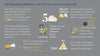
How to Create a Brand Mood Board Using Your Logo Template
A brand mood board is one of the most powerful tools you can use to clarify your visual identity, stay consistent, and design faster. It’s the blueprint that defines your brand’s style, personality, and aesthetic — and your logo template is the perfect starting point.
If you’ve already chosen a logo from LogoKart, creating a mood board becomes 10× easier because your logo gives you the base colors, fonts, and styling direction.
This guide will show you exactly how to create a beautiful, professional mood board for your brand.
1. What Is a Brand Mood Board?
A mood board is a visual collage that represents your brand’s:
-
Colors
-
Typography
-
Imagery
-
Textures
-
Shapes
-
Patterns
-
Inspiration
-
Personality
It’s used by:
-
Designers
-
Business owners
-
Social media managers
-
Branding experts
…to keep all visuals consistent across platforms.
2. Start With Your Logo Template
Your logo reveals A LOT about your brand identity.
Extract from your logo:
-
Colors (HEX codes)
-
Typography (fonts + style)
-
Shapes (curvy, geometric, sharp, soft)
-
Mood (luxury, fun, minimal, earthy)
-
Personality (playful, elegant, modern, bold)
This becomes the foundation of your mood board.
3. Choose Your Brand Color Palette
A strong brand typically uses:
-
Primary color: the main brand color
-
Secondary color: supporting tone
-
Accent color: used sparingly for highlights
-
Neutrals: white, black, beige, gray
Make sure the colors match your logo’s emotion:
-
Warm neutrals → beauty, handmade
-
Black & gold → luxury
-
Bright colors → kids & creative brands
-
Greens → eco/wellness
-
Blues → corporate, tech
Add the HEX values to your mood board for consistency.
4. Select Your Typography Pairing
Use the same fonts you selected (or received) from your LogoKart template.
Add to your mood board:
-
Heading font
-
Subheading font
-
Body font
-
Sample text using your fonts
This ensures your website, packaging, and social media always match visually.
5. Add Imagery That Matches Your Brand Style
Collect photos that reflect your brand’s vibe.
Examples by niche:
Beauty/Wellness
Soft lighting, clean minimal setups, neutral tones.
Fashion
Luxury textures, monochrome backgrounds, elegant poses.
Handmade
Natural materials, cozy tones, boho elements.
Fitness
High energy, bold colors, motivational imagery.
Tech
Clean, minimal, futuristic visuals.
Choose 6–12 images and place them on your mood board.
6. Add Shapes, Patterns & Icons Inspired by Your Logo
Look at your logo’s:
-
Shapes (circles, lines, curves, diamonds)
-
Patterns (minimal, geometric, organic)
-
Icons (leaves, lines, initials)
Then design supporting visual elements based on them.
For example:
-
A circular logo → use circle accents in your social media templates
-
A floral logo → add botanical patterns
-
A geometric logo → use sharp lines and grids
This creates a cohesive visual language.
7. Include Your Brand Keywords
Your mood board should also communicate personality.
Add keywords like:
-
Modern
-
Elegant
-
Calm
-
Bold
-
Boho
-
Artistic
-
Minimal
-
Playful
These guide future design decisions.
8. Arrange Everything Into a Clean Layout
Your mood board should include:
-
Logo
-
Color palette
-
Fonts
-
Imagery
-
Shapes/patterns
-
Keywords
Use Canva, Illustrator, Figma, or even PowerPoint.
Keep the structure clean and spacious.
9. Use Your Mood Board as Your Branding Guide
Once your mood board is ready, use it to guide:
-
Website design
-
Social media content
-
Packaging
-
Photography style
-
Marketing materials
-
Ads
-
Product design
Consistency becomes automatic.
10. Update Your Mood Board as Your Brand Evolves
Brands evolve — and so should your mood board.
Update it when:
-
You launch new products
-
You change your aesthetic
-
You shift your brand direction
-
You grow your identity
Your mood board is a living document.
Final Thoughts
Creating a brand mood board is one of the smartest steps you can take to establish a consistent, beautiful visual identity. With your LogoKart logo template as the foundation, you can easily build a mood board that captures your brand’s energy, personality, and style — all in one place.